Series.photo

Foto-Serien für alles, was sich verändertPhoto series for everything that changes

Immer derselbe Blickwinkel.
Jeden Tag ein Stück Fortschritt.
Always the same angle.
A little progress every day.

Series.photo führt dich Foto für Foto zurück an exakt dieselbe Stelle und macht aus deiner Serie ein Video oder eine Collage. Ohne Konto, ohne Cloud.Series.photo guides you back to exactly the same spot, photo after photo, and turns your series into a video or collage. No account, no cloud.

Demnächst imComing soon to theApp Store Demnächst beiComing soon toGoogle Play
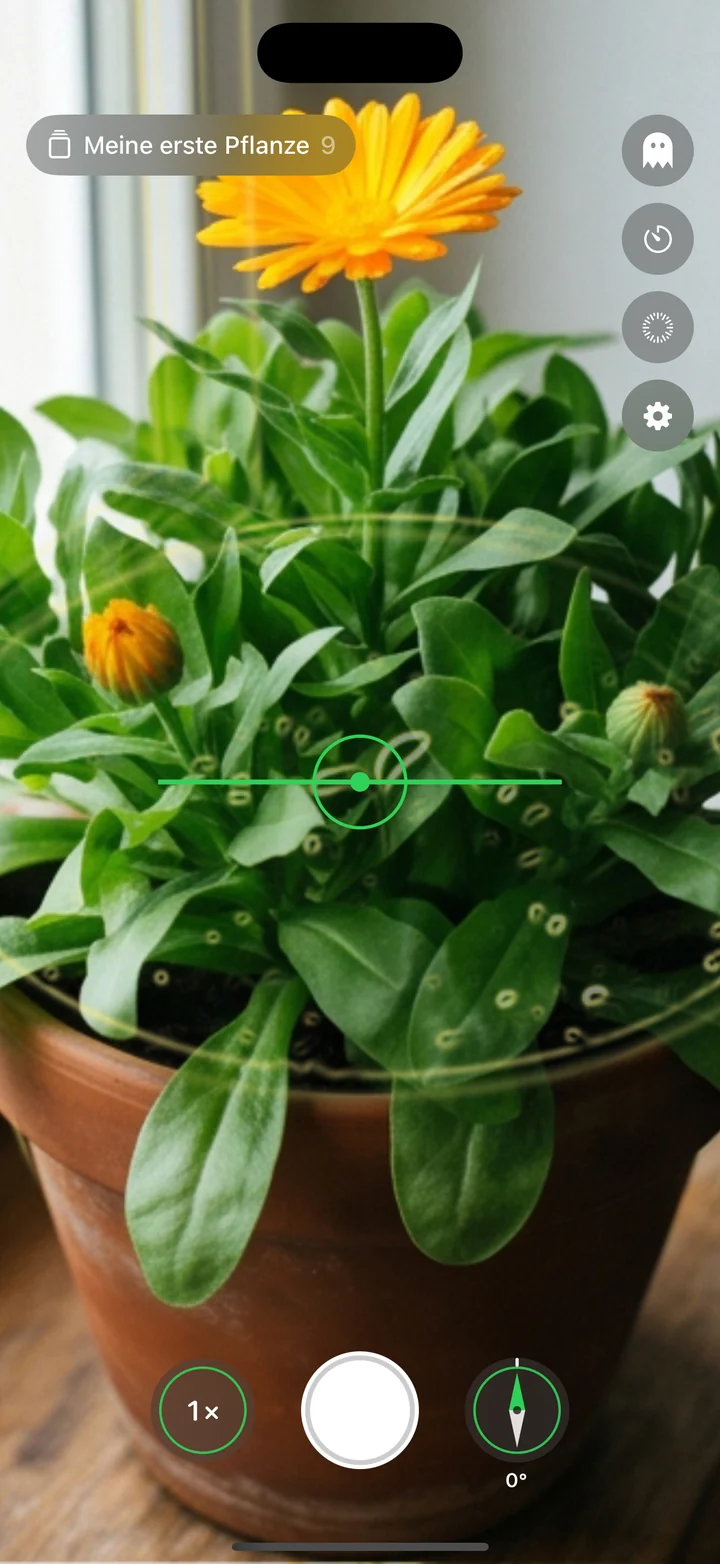
Kamera mit Silhouette und Ausrichtungshilfe
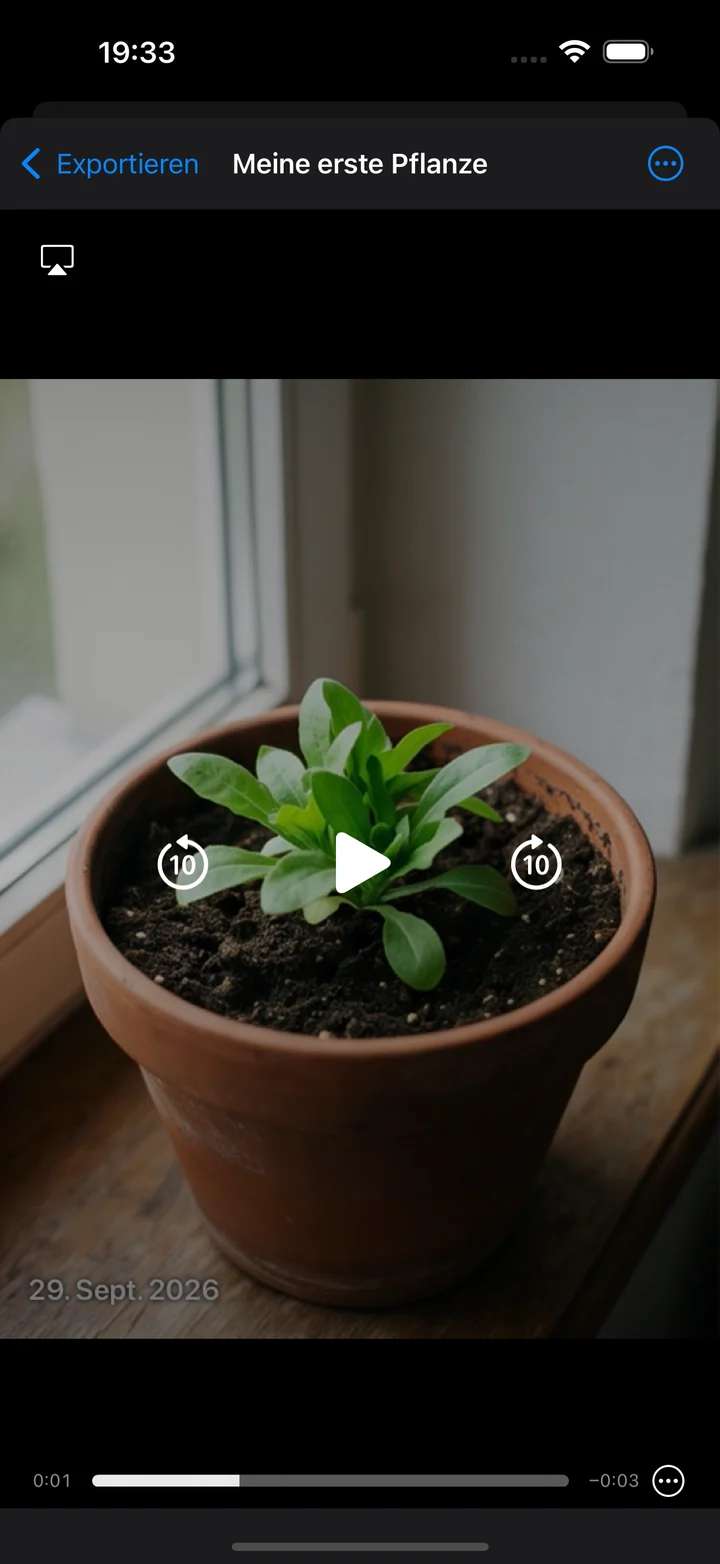
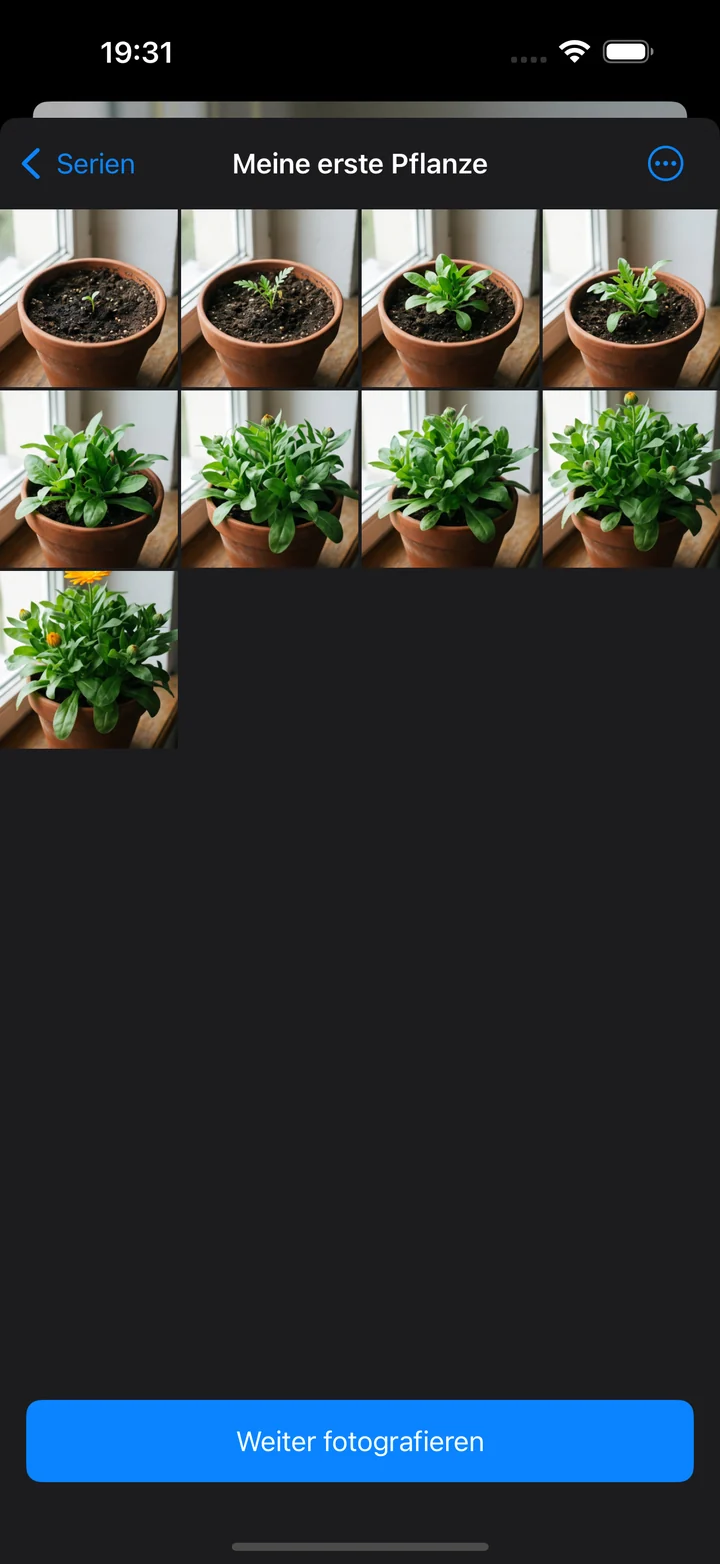
Fertiges Video einer Pflanzenserie

Alles, was eine gute Serie brauchtEverything a good series needs

Immer derselbe BlickwinkelSame angle, every time

Neigung, Rollwinkel, Kompassrichtung und Zoom werden live mit dem Referenzfoto verglichen. Pfeile zeigen, wohin du das Handy bewegen musst.Tilt, roll, compass heading and zoom are compared live with your reference photo. Arrows show where to move your phone.
Silhouette als ZielhilfeSilhouette as a guide

Die Kanten des ersten oder letzten Fotos liegen als feine Linie über dem Sucher, sodass jedes neue Bild passgenau wird.The edges of your first or last photo sit over the viewfinder as a fine outline, so every new shot lines up.

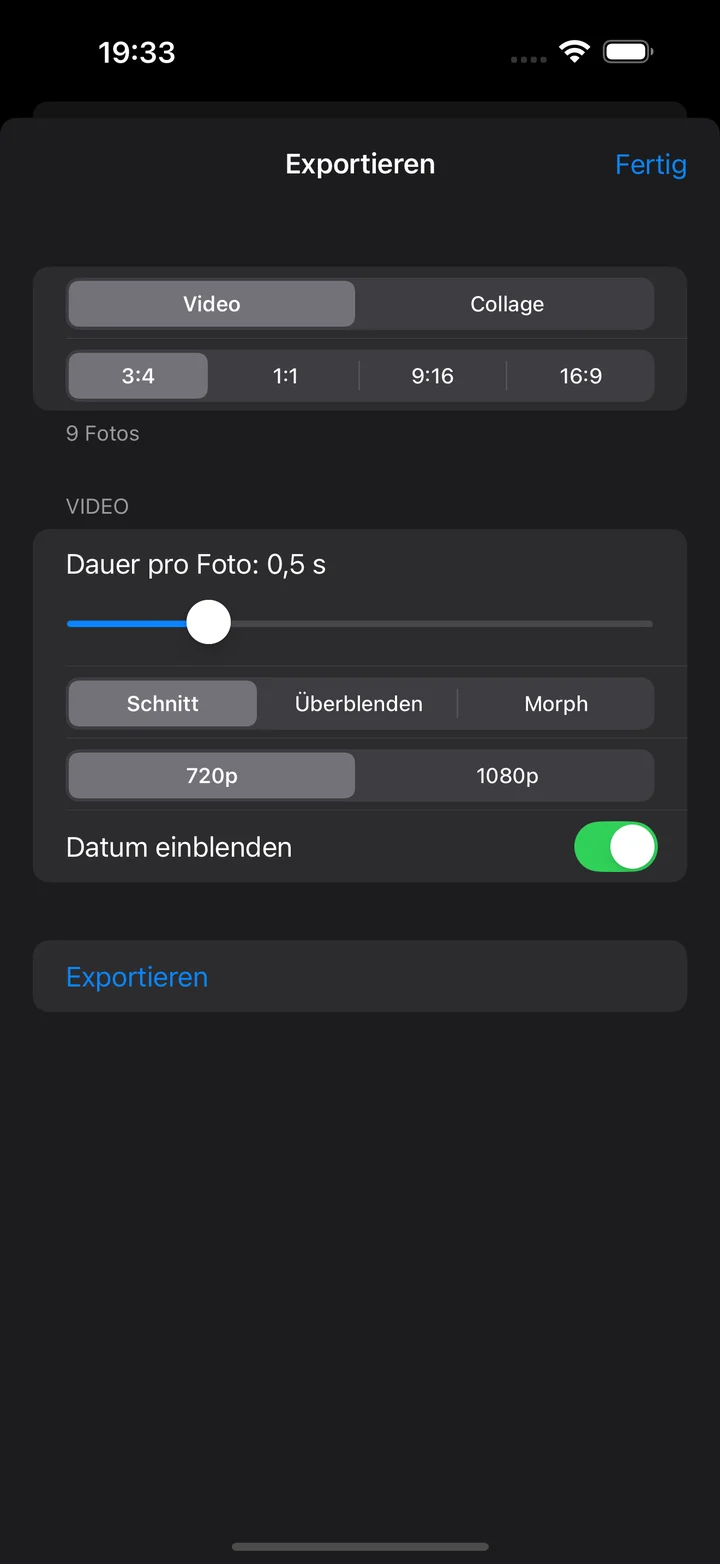
Aus Fotos wird ein VideoTurn photos into a video

Schnitt, Überblenden oder weicher Morph mit Bewegungsanalyse: dein Fortschritt als flüssiger Zeitraffer.Cut, crossfade or a smooth morph with motion analysis: your progress as a fluid time-lapse.

Collage mit einem TippCollages in one tap

Raster oder Vorher/Nachher, in 3:4, 1:1, 9:16 oder 16:9. Zoombar und direkt teilbar.Grid or before/after, in 3:4, 1:1, 9:16 or 16:9. Zoomable and ready to share.

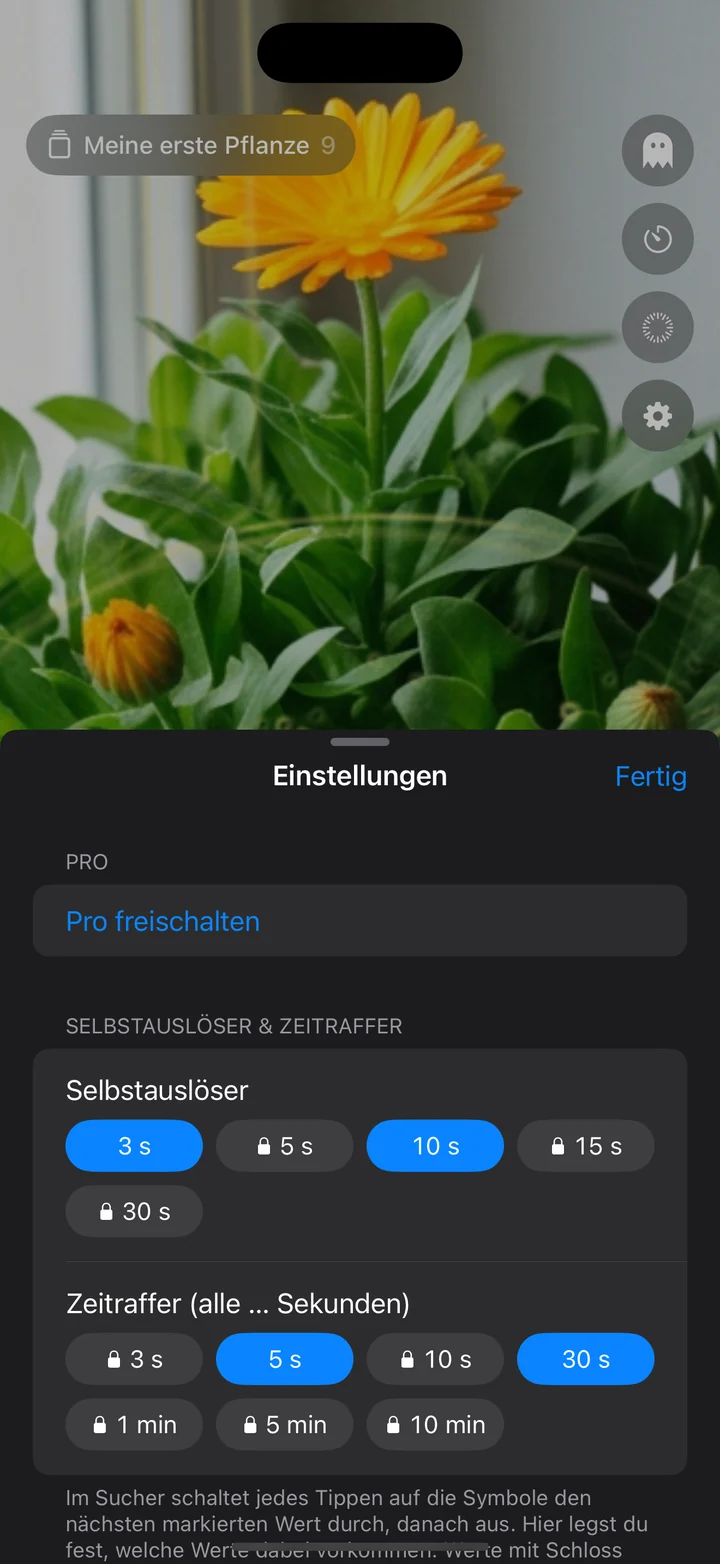
Selbstauslöser & ZeitrafferSelf-timer & interval shots

Foto machen, ohne das Handy zu berühren, oder in festen Abständen automatisch auslösen.Take a photo hands-free, or shoot automatically at fixed intervals.

Alles bleibt bei dirEverything stays with you

Keine Konten, keine Cloud. Fotos und Serien liegen nur auf deinem Gerät. Die Statistik ist aus, bis du sie einschaltest.No accounts, no cloud. Photos and series stay on your device. Statistics are off until you switch them on.

So einfach geht’sHow it works

  1. 1

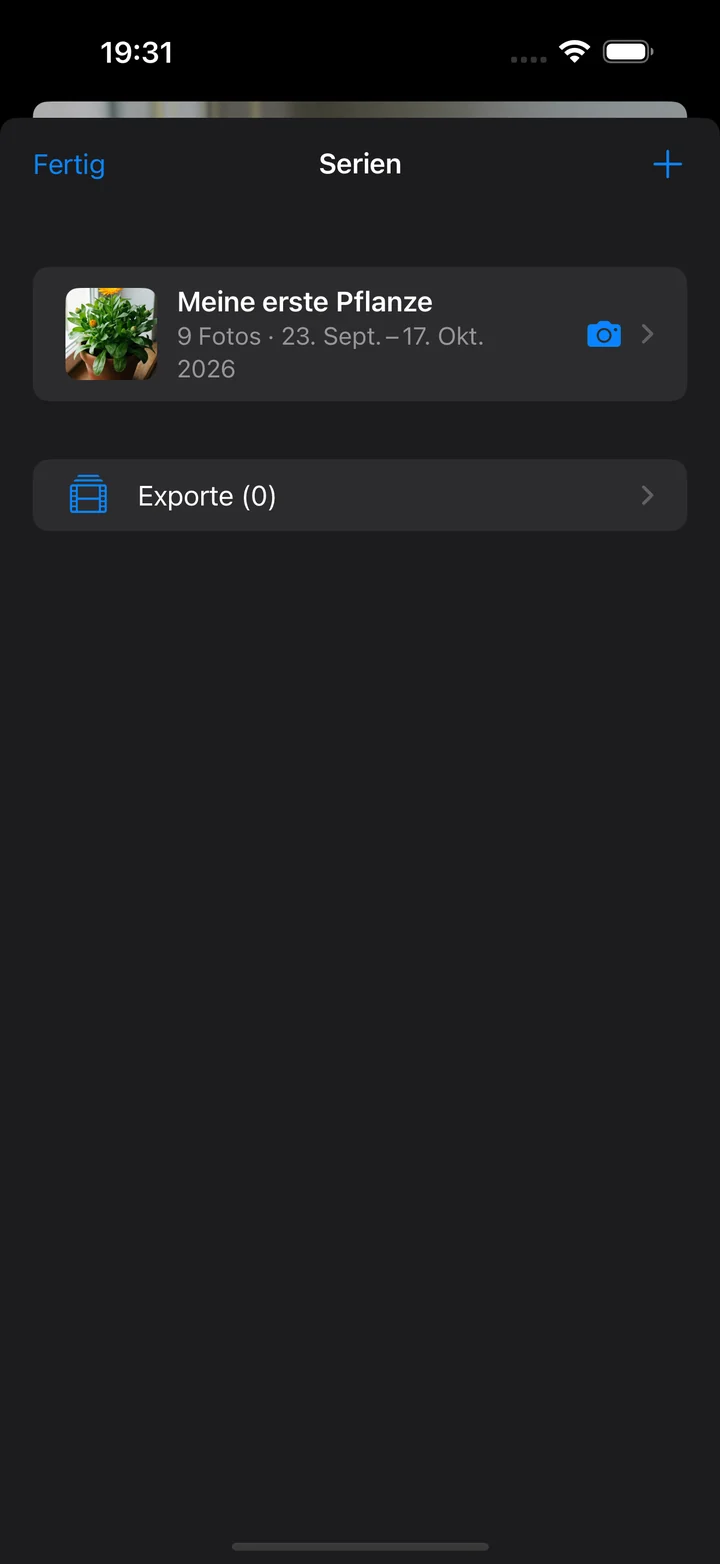
    Serie anlegenCreate a series

    Pflanze, Baustelle, Haarwachstum, Kind: alles, was sich verändert.A plant, a building site, your hair, a child: anything that changes.

  2. 2

    Foto für Foto aufnehmenShoot photo by photo

    Die Ausrichtungshilfe führt dich zurück an exakt dieselbe Stelle.The alignment aid guides you back to exactly the same spot.

  3. 3

    Video oder Collage erzeugenCreate a video or collage

    Wähle Stil und Format und teile das Ergebnis mit einem Tipp.Pick a style and format and share the result with a tap.

Ein Blick in die AppA look inside

Kostenlos starten. Einmal zu Pro.Start free. Upgrade once.

Kein Abo, keine versteckten Kosten.No subscription, no hidden costs.

KostenlosFree

  • Eine SerieOne series
  • Schnitt und ÜberblendenCut and crossfade
  • Export in 720p720p export
  • Einige Zeitwerte für Selbstauslöser und ZeitrafferA few timer and interval values
  • Kleines Wasserzeichen im ExportSmall watermark in exports
EinmalkaufOne-time

Pro

  • Unbegrenzt viele SerienUnlimited series
  • Morph mit Optical FlowMorph with optical flow
  • Export in 1080p1080p export
  • Alle ZeitwerteAll timer values
  • Kein WasserzeichenNo watermark
  • Einmalkauf, kein AboOne-time purchase, no subscription

Deine Fotos gehören dir.Your photos are yours.

Series.photo kommt ohne Konto, ohne Cloud und ohne Werbung aus. Alles liegt auf deinem Gerät. Die anonyme Nutzungsstatistik ist standardmäßig aus.Series.photo works without an account, without cloud and without ads. Everything lives on your device. Anonymous usage statistics are off by default.

Häufige FragenFrequently asked questions

Für welche Geräte gibt es Series.photo?Which devices does Series.photo run on?

Für iPhone mit iOS 18 oder neuer und für Android-Geräte ab Android 10.On iPhone with iOS 18 or later and on Android devices from Android 10.

Was kostet die App?How much does it cost?

Die Grundfunktionen sind kostenlos. Pro ist ein Einmalkauf ohne Abo und schaltet unbegrenzt viele Serien, den Morph-Export, 1080p, alle Zeitwerte und den Export ohne Wasserzeichen frei.The core features are free. Pro is a one-time purchase with no subscription and unlocks unlimited series, morph export, 1080p, all timer values and exports without a watermark.

Wo werden meine Fotos gespeichert?Where are my photos stored?

Ausschließlich lokal auf deinem Gerät. Es gibt keine Konten und keine Cloud. Wenn du die App löschst, sind auch die Serien weg. Exportierte Videos und Collagen kannst du in Fotos bzw. die Galerie sichern.Only locally on your device. There are no accounts and no cloud. If you delete the app, the series go with it. You can save exported videos and collages to Photos or your gallery.

Wie funktioniert die Ausrichtungshilfe?How does the alignment aid work?

Die App speichert zu jedem Foto Neigung, Rollwinkel, Kompassrichtung und Zoom. Beim nächsten Foto vergleicht sie diese Werte live mit den Sensoren deines Handys und zeigt dir per Pfeilen, wie du es bewegen musst. Zusätzlich liegt die Silhouette eines früheren Fotos über dem Sucher.For every photo the app saves tilt, roll, compass heading and zoom. For the next one it compares these values live with your phone’s sensors and shows with arrows how to move. In addition, the outline of an earlier photo is overlaid on the viewfinder.

Was ist der Unterschied zwischen Schnitt, Überblenden und Morph?What is the difference between cut, crossfade and morph?

Beim Schnitt wechselt das Bild hart, beim Überblenden blendet es weich über. Der Morph (Pro) berechnet mit Optical Flow Zwischenbilder, die die Bewegung zwischen zwei Fotos nachbilden und so besonders flüssig wirken.A cut switches hard from photo to photo, a crossfade blends softly. Morph (Pro) uses optical flow to calculate in-between frames that follow the motion between two photos for an especially fluid result.

Läuft der Export im Hintergrund?Does the export run in the background?

Ja, Exporte werden in einer Warteschlange nacheinander abgearbeitet. Du kannst den Bildschirm verlassen und siehst den Fortschritt in der Liste der Exporte.Yes, exports are processed one after another in a queue. You can leave the screen and follow the progress in the exports list.

Werden Daten über mich gesammelt?Is data collected about me?

Nein, nicht ohne dein Zutun. Die anonyme Nutzungsstatistik ist standardmäßig aus. Wenn du sie einschaltest, werden nur anonyme Zähler gesendet, keine Fotos, Titel, Orte oder Kennungen. Mehr dazu in der Datenschutzerklärung.Not unless you choose so. Anonymous usage statistics are off by default. If you switch them on, only anonymous counters are sent, never photos, titles, places or identifiers. More in the privacy policy.

Wird mein Standort gespeichert?Is my location stored?

Nur wenn du es erlaubst, und nur auf deinem Gerät: als Information zum einzelnen Foto. Die Funktion ist optional.Only if you allow it, and only on your device, as information attached to a single photo. The feature is optional.

In welchen Sprachen gibt es die App?Which languages is the app available in?

Deutsch und Englisch. Auf Geräten mit anderer Systemsprache erscheint die App auf Englisch.German and English. On devices with another system language the app appears in English.

Starte deine erste Serie.Start your first series.

Demnächst imComing soon to theApp Store Demnächst beiComing soon toGoogle Play